Observe Activity
Purpose
Investigate canonical requests, follow scoped Trace and Session evidence, and distinguish financial usage from captured telemetry.
Prerequisites
Use the actual Organization and selected Team. observability.read permits metadata, observability.content.read permits captured content and observability.export permits export separately. usage.read permits financial summaries; budgets.read permits constraint details. Own-user key management may permit that key's requests without granting the rest of its Team Trace. Deleting Trace spans requires team.manage and configured telemetry deletion service.
Procedure
The Requests, Traces, Sessions and Usage tabs highlight the current view. Filter fields and their Apply filters / Clear filters actions are grouped above results; tables scroll horizontally when their evidence cannot fit on a narrow screen.
- Open Observe → Requests, or follow a metric from Overview. Confirm the Team and visible UTC time bounds, then filter by Key and, on Requests, by Outcome. Key is a searchable list of the keys that appear in this page's data inside the window, each with its name and its owner: type part of a name, an owner or a pasted key ID, choose the key and select Apply filters. Any key removes the filter. Overview drill-downs pin their exact scope and half-open
[from, to)window in epoch milliseconds. A row is canonical even if spans are unavailable. Each row names its Team and, under Key / owner, the key that made the request with the name of whoever owns it, withobservability.readon that Team; a request reached through your own key shows identifiers there and is named on its own page. A request made without a key reads Signed-in user with that person's name. Open a request for its decision, outcome, trusted identity, execution/resource attribution and permitted configuration evidence. The request names what it refers to: Key and Entry key with the owner's name beside each, and Team, Owner, Agent, Deployment and Payer, each with its identifier beneath the name. Rule, Rule action and Approval show safe identifiers. Exact policy evidence reads that evidence as six labelled rows — Configuration hash, Team allowance revision, Key policy revision, Deployment revision (Not present when the request named no deployment), Matched resources, and Followed tool sets (None when there are none) — followed by View as JSON for the exact document and a button that copies it. Open approval id appears only when you can read that approval; Request metadata alone does not grant its private arguments or decision note. Links back from approvals likewise require access to the exact Team Request. - Open Observe → Traces or follow the scoped Trace link. The heading names the Trace's Team and keeps the Team identifier beneath it. Select a span to inspect authenticated source/producer and structure. Metadata access does not disclose captured names, errors, events, previews or search text. Missing content is Not captured or unavailable under your permissions; it is not invented.
- Open Sessions using the exact namespace and Session ID. The heading names the Team beside the namespace. Follow associated requests and traces. Costs include only physical ledger facts assigned to that Session.
- Open Usage for known, estimated and unknown amounts, active reservations and supported filters. Requests and Usage retain the same pinned reporting bounds through Observe navigation. Spend uses physical attempt creation time and payer Team; Requests use decision receipt time. An unknown amount is not zero, and span token totals are not billing evidence. Constraint balances use current constraint windows independently of the reporting period.
- Export only with
observability.export; content still requiresobservability.content.read. Each completed export is recorded in Manage → Audit astrace.export, with you as the actor, the Trace as the target and whether captured content was included. To remove a Trace's spans, choose Delete Trace observations and confirm the exact Team/Trace. Failure is shown explicitly; refresh to verify visibility. - Use the Scores panel on a Trace or Session to record a judgment against one of the Team's score definitions and choose Save score; see Evaluate. Scores are separate from captured content and from financial evidence.
- Use the Add to dataset panel on a Trace to copy that evidence into one of the same Team's evaluation datasets: choose the part of the Trace with Span and Apply span, pick a Dataset or New dataset…, edit the prefilled Input and Expected output, then choose Add to dataset. On a Session, Add conversation up to this turn proposes the conversation up to that turn as one item. On Requests, select the rows you want, choose a Dataset above the table and choose Add selected to dataset; the page reports how many were added and how many were skipped. Copying captured content requires
observability.content.readon that Team as well asevaluation.manage, and the copy then lives in the dataset independently of this Trace. See Evaluate.
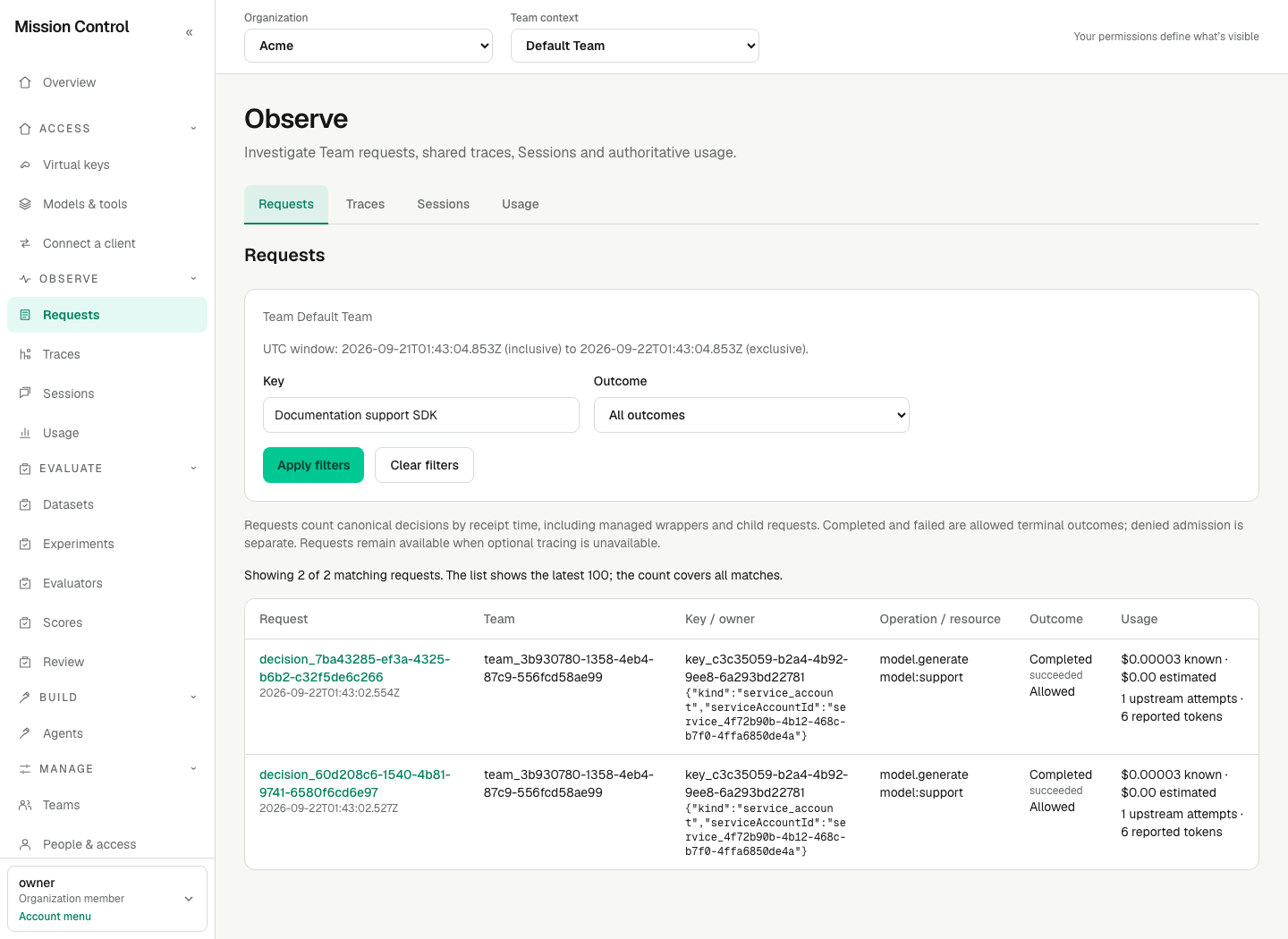
Request evidence survives Collector outages; a Trace link does not promise uploaded spans exist.
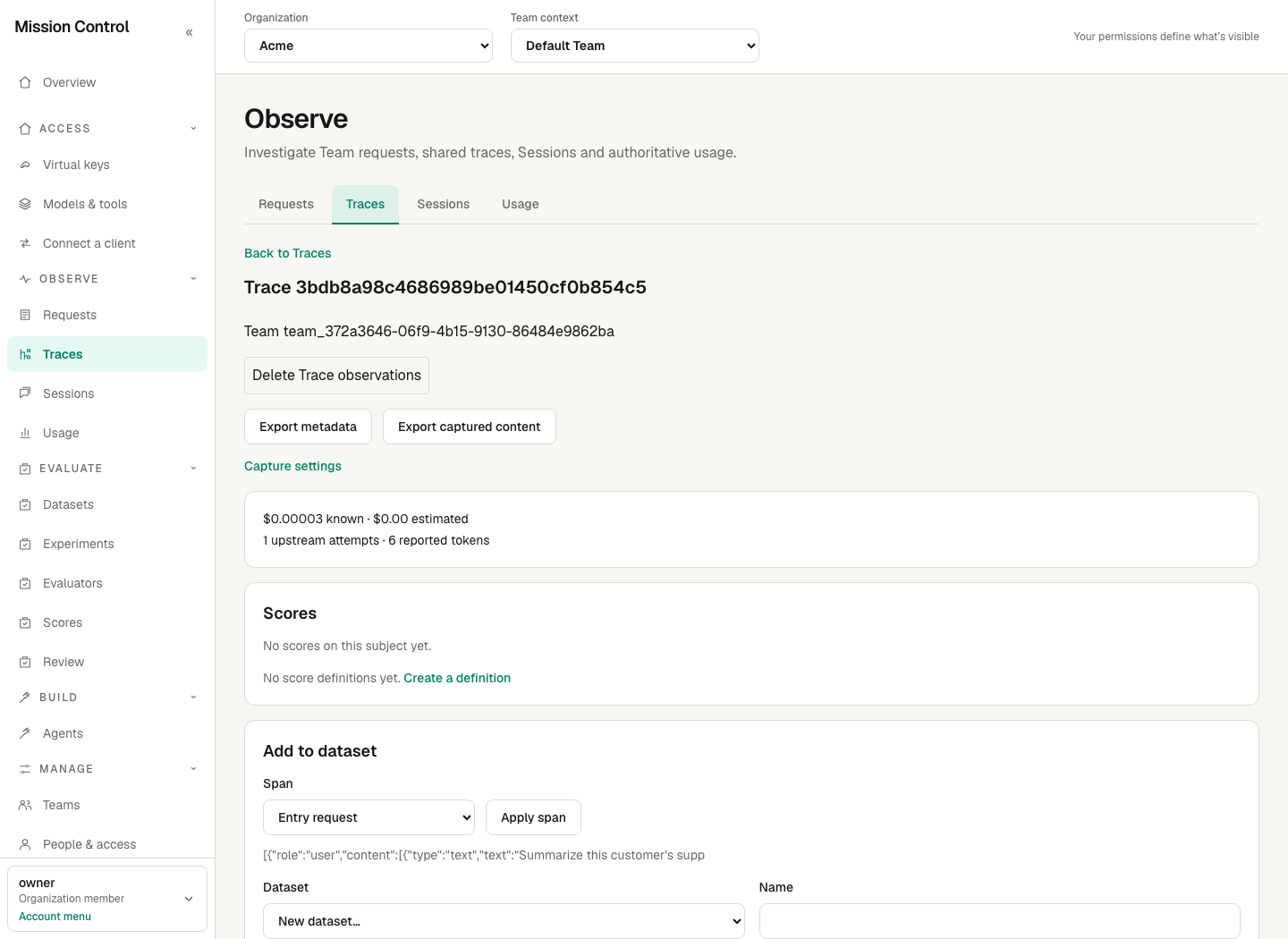
The producer is authenticated separately from the uploaded service label.
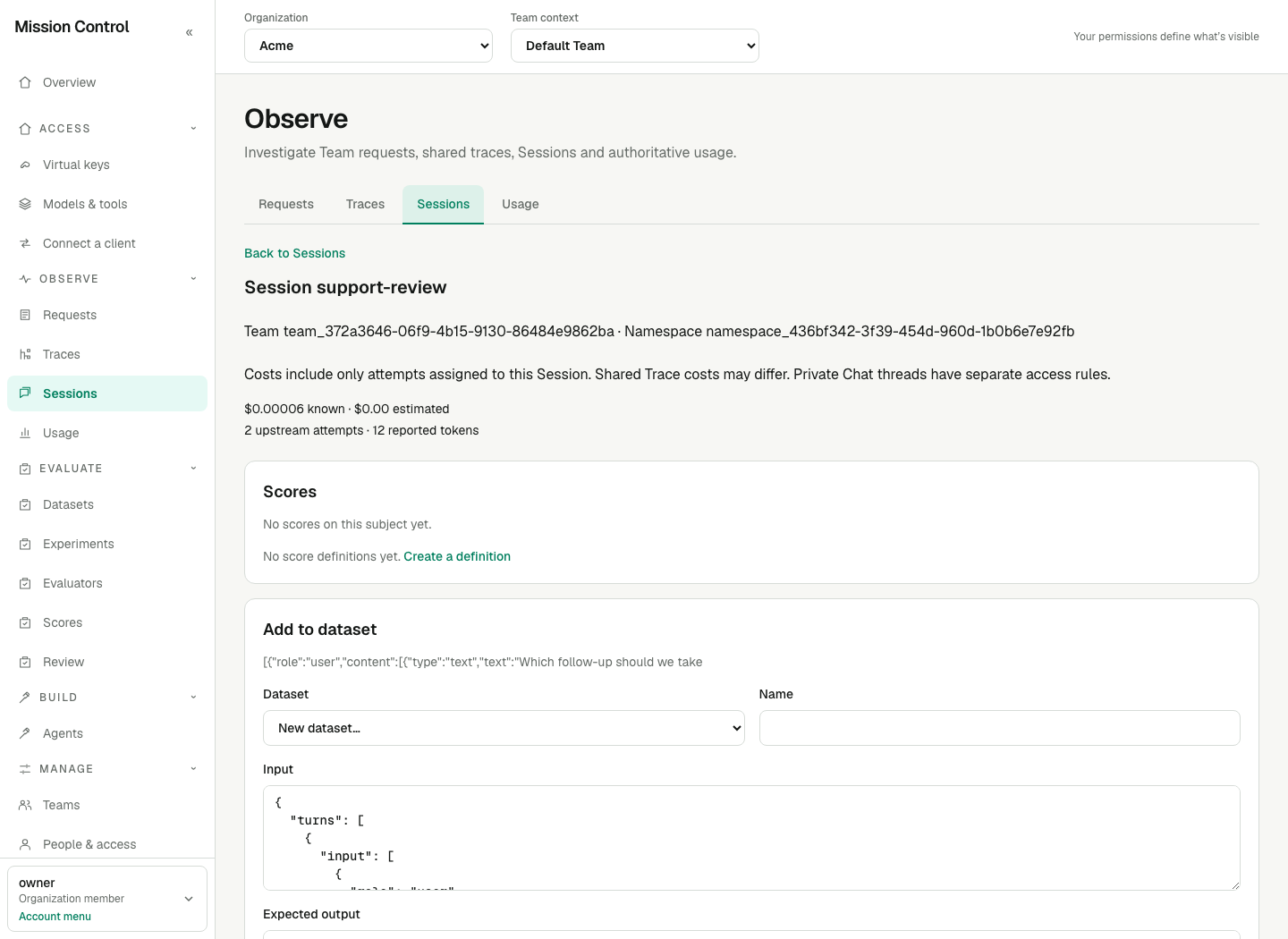
Namespace is part of Session identity; shared Trace costs are not copied into every Session.
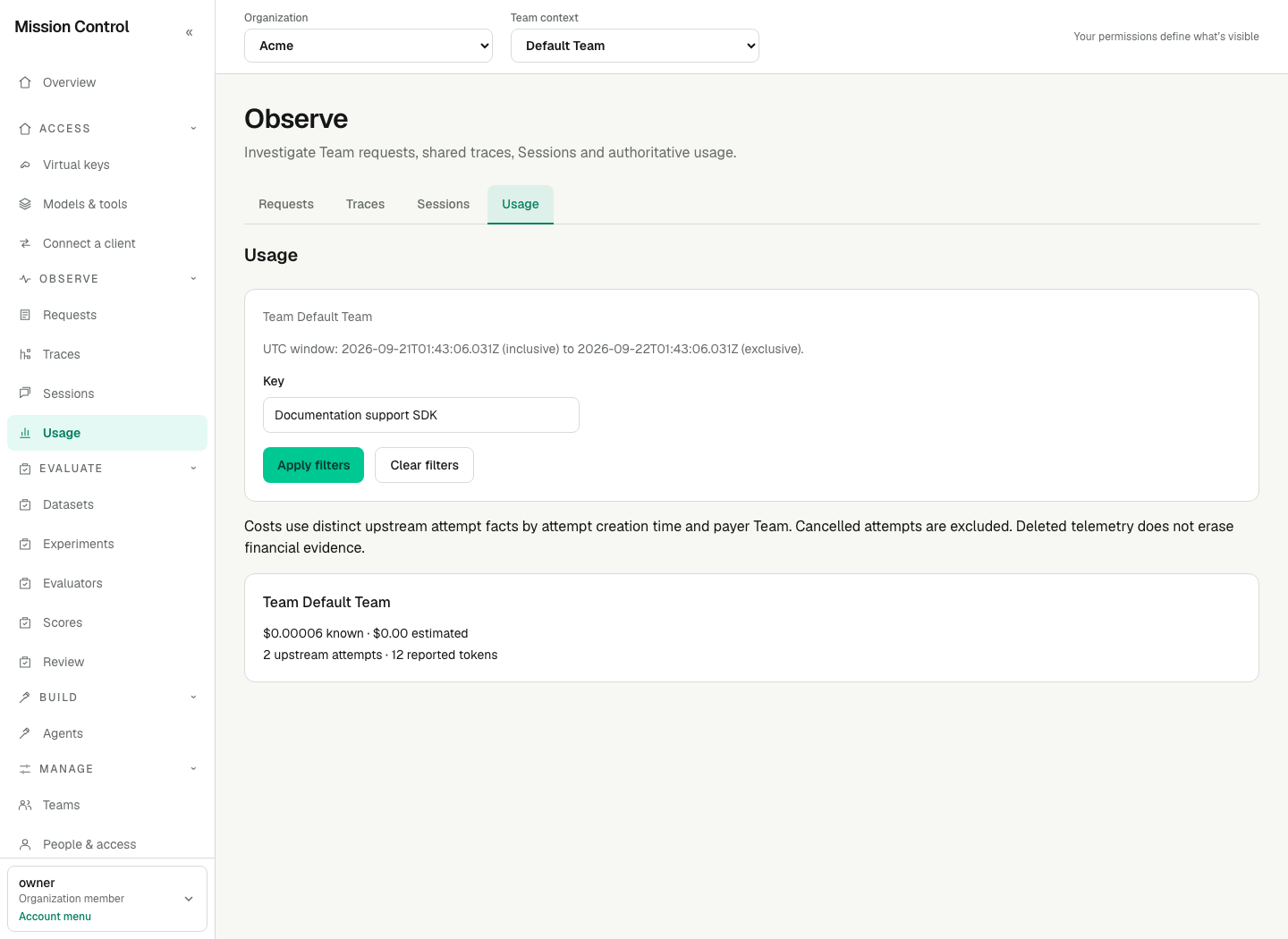
This example contains two priced completed attempts. When cost is unknown, Usage explicitly marks the totals incomplete rather than treating that work as free.
Expected result
For model requests, expand Exact policy evidence to read Effective guardrail policies, including Organization/model sources and the matched rule's origin. These are saved assignments, not a claim that every configured check ran. An input block prevents output evaluation. Earlier requests without this extension show Guardrail policy not recorded; a recorded empty policy explicitly reports no rules. Evidence survives configuration changes and remains available when standard OTLP is disabled. It contains no rule expressions, classifier settings or inspected text, and does not grant access to full configuration.
All reads are authorization-bound. Unknown and unauthorized identifiers use a generic unavailable/no-access state. Changing filters never widens access. There is no Trace or Session open/close lifecycle API.
Requests offers Completed, Failed, Denied and Unresolved outcome filters, applied server-side. Completed means an allowed decision in state succeeded; Failed means an allowed decision in state failed, including a budget failure after initial authorization. Denied means allowed = false; other allowed states are Unresolved. Overview's Inspect terminal requests link uses outcome=terminal for the combined Completed and Failed population used to calculate Success rate. The other outcome values are completed, failed, denied and unresolved. The list shows the latest 100 matching decisions and the full matching count; Overview aggregates are independent of that limit. Requests count canonical decisions, including managed wrapper and child decisions, rather than distinct physical attempts.
The Key filter offers what appears in the page's own data, never a list of the Team's keys. Requests, Traces and Sessions offer the keys of the decisions received inside the window for the Teams where you hold observability.read; Usage offers the entry and execution keys of the upstream attempts created inside the window, cancelled ones excluded, for the payer Teams where you hold usage.read. A revoked key that still appears stays offered, and with several Teams in scope the list is grouped by Team. The 200 most active keys of the window are offered, listed by name; the page says when it cut the list, and a narrower window or a single Team shows the rest. A key that only exported telemetry and made no request inside the window is not offered on Traces and Sessions; follow a link that names it, or filter from Requests. A key the address names that the window does not offer stays selected and is marked Unavailable, by name when it is a key of a readable Team, and Apply filters keeps it until you choose another key or Any key. Someone who reads only their own key's requests sees no list: the page keeps filtering on that key.
A request page shows names where it used to show identifiers: the Key and Entry key with the owner's name beside each ("CI runner · Jane Doe"), the Team, the Owner as the person or service account the request itself is owned by, a Chat initiator included, the Agent, the Deployment and the Payer Team, each with its identifier beneath the name. Execution, Definition, Credential version, Provider route, Rule, Rule action, Approval, Resource and Configuration hash are identifiers and stay as they are. The Trace, Session and capture headings name their Team, and the capture heading also names the target key or deployment. Names come from the permission the page already read under: observability.read on that Team, or, when you reached your own key's request without it, own-user key management, which names that key, its Team and you. When no name is found the identifier is shown alone, in code style, and nothing claims why: the page cannot tell a removed record from one outside your access.
Reporting presets are Last 24 hours, Last 7 days and Last 30 days. Default and preset URLs redirect to pinned from and to bounds before rendering, keeping sidebar reporting links on the same window. Absolute bounds are both required, ordered and at most 30 days apart. Invalid, reversed, duplicate, partial or oversized windows show a filter error without broadening the query. Overview Refresh retains a custom-duration window's bounds; preset refresh moves the window to the current time. See Overview for exact boundary and refresh behavior. Requests and Usage enforce observability.read and usage.read independently, so their authorized Team coverage can differ.
Scores recorded on a Trace or Session remain readable with evaluation.read after the observations expire. Content copied into an evaluation dataset likewise outlives its source: deleting a Trace or letting its spans expire does not remove the dataset item copied from it.
Verification
Inspect a known allowed Request and a forbidden Team identifier. Check that a metadata-only viewer cannot search/export content. Compare a managed wrapper and its children: only physical attempts contribute financial facts. After deletion, reads hide the Trace even if an old batch is replayed. No new API key and no restart is needed for a current human permission change.
Failure recovery
If requests exist but spans do not, first ask an administrator whether the Organization enables telemetry.standardOtlp: with it off, no spans are recorded for its Requests. Otherwise inspect exporter/Collector/storage status without replaying inference. For unavailable content, check capture mode, retention and separate content permission. A deletion response means logical hiding with eventual physical cleanup; financial retention is independent. Ask an administrator for the exact permission rather than sharing another person's key.
A row that shows an identifier where you expected a name means no name was found for it under the permission you are reading with; it says nothing about whether that item still exists. Open that item's own page, or ask an administrator for the permission that names it.
For a reporting filter error, apply a valid preset or remove invalid reporting parameters. For an unexpected empty result, check the exact Team, logical key, outcome and time bounds before expanding the search. A key marked Unavailable in the Key filter has no data in this window or is beyond the 200 offered keys: widen or narrow the window, select one Team, or choose Any key. An empty or limited list does not change the canonical aggregate.