Chat with a Deployed Application
Purpose
Use a Production application in your Chat audience and retain your own private conversation history.
Prerequisites
An active Organization membership and inclusion in the deployment Chat audience. Team membership, a virtual key and technical roles are not required for a consumer. New work requires a currently active permitted deployment and compatible runtime.
Procedure
- Open Chat, select an available application and choose New conversation or reopen a conversation in the scrollable Private history panel. The selected conversation is highlighted. History sits beside messages on wider screens and above them on phones.
- Send a message. The publisher Team funds managed work. Wait for the current turn to settle before another send.
- Under an assistant reply choose Helpful or Not helpful; optionally open Add a comment, write a note and Save feedback. Your feedback is saved on that turn and shows again after a reload; Remove feedback withdraws it. Feedback is evidence for the application's Team and stays after you delete the conversation.
- A tool requiring your account shows a connection request. Open My connections, complete the indicated Connector setup, then retry explicitly.
- For a tool consent interrupt, review the stored tool name and exact arguments before choosing Approve and resume or Decline. Multiple pending actions show their count and use Approve all and resume / Decline all; the decision applies to the entire displayed batch. Missing, ambiguous or invalid action details disable approval: use Refresh outcome, then decline or contact the application owner if details remain unavailable. Decline still requires current access and unexpired consent. Resume applies only to that exact stored action and accepted turn. A failed resume retains its identity for explicit retry.
- Use Stop to abort the streaming request. Refresh/reconcile if the result is uncertain; stopping the browser stream does not prove upstream work ended.
- Reopen history to inspect stored messages and exact version/outcome attribution. Audience changes or runtime downtime can make history read-only. To delete a stored idle conversation, select it in Private history, choose Delete conversation, then Confirm delete. Cancel keeps it. The view and history entry clear only after the server confirms deletion. Active, preparing, pending-approval or unresolved work prevents deletion; the control appears only when the stored state is eligible.
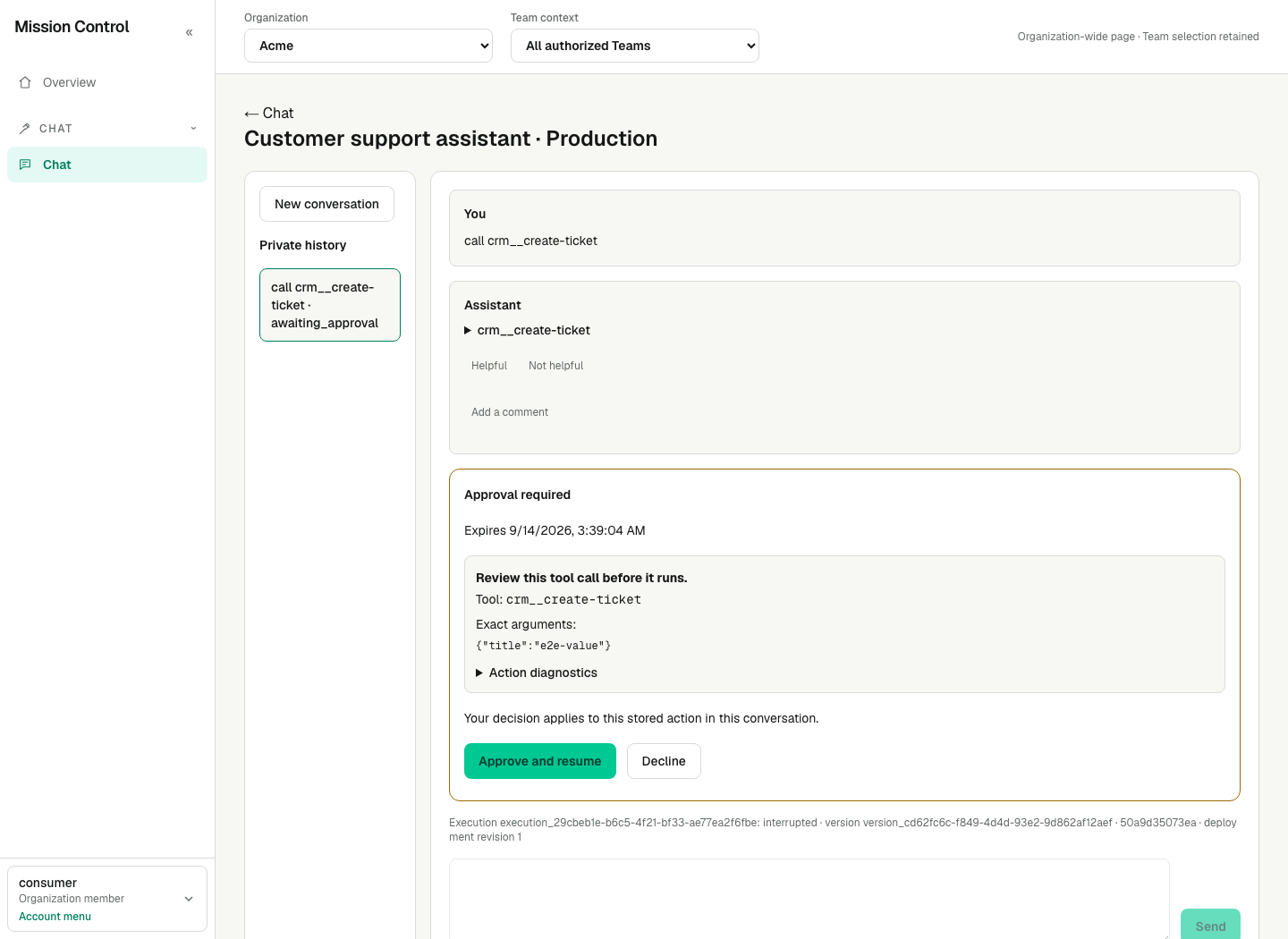
The message composer and Send action sit beneath the conversation. Consent actions have their own panel: the consumer decides the displayed action in their private conversation, separately from administrator tool approvals.
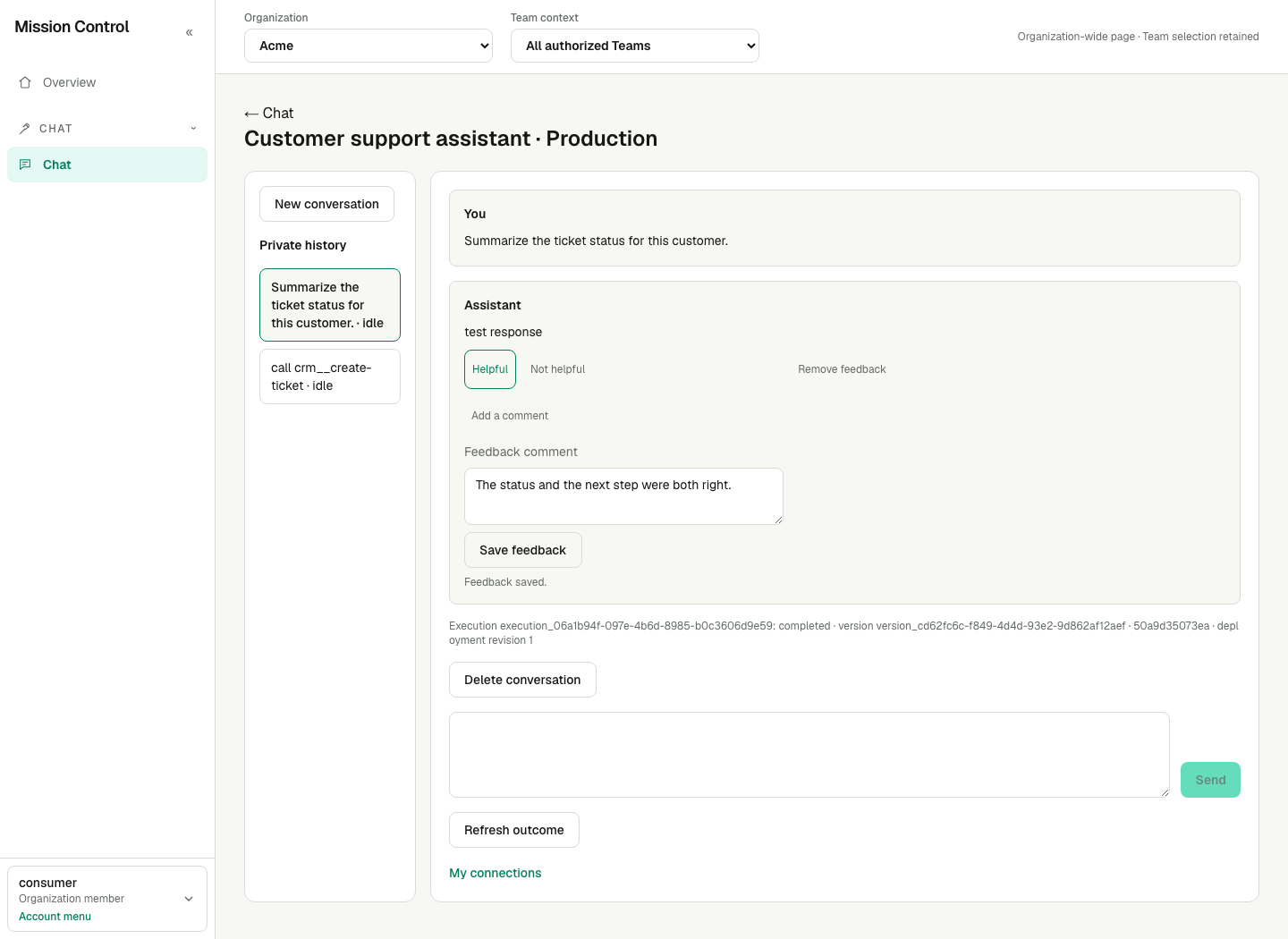
Feedback sits under the reply it judges. The verdict and the optional comment are saved together on that turn.
Expected result
Unsent text is cleared when you switch Organization, deployment or testing mode. Submitted messages remain in that conversation’s private history. Selecting another conversation clears the previous transcript and consent controls while its history loads; delayed responses cannot replace your current selection or restore a deleted conversation.
Private history belongs to the exact user and Organization membership owner. Trace/Session labels, a customer subject or another audience member never transfer ownership. Removing current Organization membership denies history. Audience revocation alone prevents new work without erasing the owner's history. Feedback belongs to the exact turn and to you; nobody else's feedback is shown in your conversation.
Verification
Confirm another consumer cannot open your conversation. Reload to restore pending consent and the recorded turn state. A consumer without observability.read has no Team Trace access. Conversation deletion does not delete financial or telemetry evidence.
Failure recovery
For delivery unknown, refresh before retrying; no duplicate is sent automatically. Expired/declined consent cannot dispatch an action. For read-only history, restore current audience/deployment/runtime access before new work. You can still delete your eligible idle history without restoring invocation access. If deletion reports active or unresolved work, use Refresh outcome after lifecycle recovery; Stop alone does not make it deletable. If deletion could not be confirmed, refresh private history before trying again; the displayed conversation is retained until success. A reconnect or sign-in may be needed for personal credentials; no managed key is issued to the browser.